File Formats
What is a pixel?
A pixel is a minute area of illumination on a display
screen, one of many from which an image is composed. They are the smallest unit
of information that makes up a picture, these are usually round or square and
they are typically arranged in a 2 dimensional grid.
What is Image Resolution?
If you are using images in your design, then make sure
you are using the right resolution. The resolution is measured in DPI, also
known as pixels per inch. The DPI determines the amount of detail the image
has. If you were to enlarge an image to be used on the web or for print, always
scan it at the highest dpi you can.
What is the pixel colour intensity?
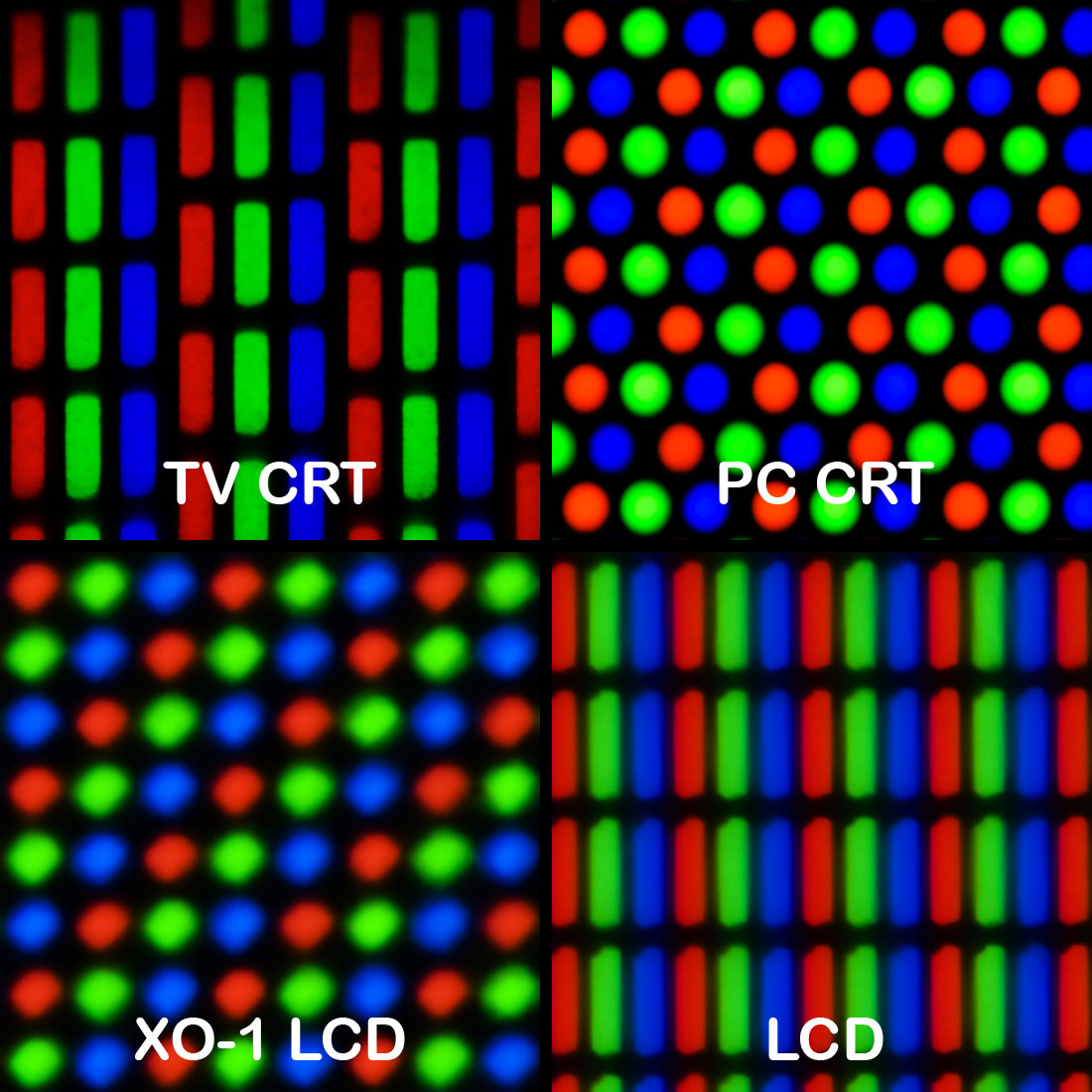
The intensity of each pixel is variable, in colour
image systems a colour is typically represented by three or four component intensities
such as red, green and blue, or cyan, magenta, yellow and black. If the pixel
count for blue is high then the image will have a higher shade of blue.
What common ways are pixel colour
intensity stored?
There are two ways in storing colour intensity in
pixels, one way is through RGB, with this every pixel has to add up to RGB (Red,
Green and Blue) no matter what image it is, they all have to be RGB. Another
way in storing colour intensity for pixels is through CYMK which stands for
Cyan, Yellow, Magenta and Key (Black).
Compression
What is Compression?
Compression means the reduction size of data or a file
in order to save space or transmission time. For data transmission, compression
can be performed on just data content. Compression is great for storing files,
as it doesn’t take up so much file storage and it’s easy to upload files because
of the smaller file size.
Why compression is useful for storing
digital graphics
There are two categories of compression techniques
used with digital graphics, these two methods are lossy & lossless. Both of
these techniques have the same aim, these are used to make your file more
compact and to create a smaller file size. Lossless and lossy are both great
for storing digital graphics as you can store your images within a reasonable
file size.
What is Lossy compression?
Lossy eliminates unnecessary bits of information, this
tailors the file size so that it’s smaller. This type of compression lets you reduce
the file size of bitmap images. With lossy compression you can’t get the
original file back after it has been compressed.
What is Lossless compression?
Lossless compression reduces a file size with no loss
of quality. This can be applied to several image and audio files. JPEGs and
MP3s use lossy compression, while newer files use lossless compression.
Lossless compression rewrites the data of an original file in an efficient way.
However with no quality lost, the files are much larger than the actual image.

What is a raster image?
A
raster image or bitmap is a dot matrix structure which represents a rectangular
grid of pixels, or points of colour. A bitmap corresponds bit for bit with an
image displayed on a screen, generally in the same format used for storage in
the display’s video memory.
BMP
The BMP file format, also known as bitmap image file
or bitmap. This is a raster graphics image file format used to store bitmap
digital images. The BMP file format is able to store 2D digital images of
width, height and resolution. Indexed colour images may be compressed with a
4-bit or 8-bit RLE or Huffman 1D algorithm. Bitmap files may be easily created
from existing pixel data stored in an array in memory. Pixel values may be
modified individually or as large groups by altering a palette if present.
However Bitmaps can be very large, particularly is the image contains a large
number of colours. Data compression can shrink the size of pixel data but the
data must be expanded.
Gif
Gif files are a format commonly used for graphics
presented on websites. Gif’s can contain a maximum of 256 colours, and are
therefore best for images that contain simple shapes, a limited colour palette.
Gif stands for Graphics Interchange Formats. Gif files have the file extension,
Gif files are compressed using lossless compression, meaning image quality is
great and hasn’t sacrificed any detail for this. Gif files can also contain
animation, creating files known as animated Gifs, these are common for websites
but they aren’t as widely popular as they used to be. The disadvantages of Gif
files are that it has a low colour palette, they have a lower level of
transparency, they have patent restrictions and it has lossless compression.
Tiff
Tiff file stands for Tagged Image File Format. TIF
files are a common file format for images, especially those used on graphic
design. TIFF files can be saved without compression, or they can be compressed
to lower file size, similar to JPG files. TIFF files are commonly used in print
design and desktop publishing because they can store large, high quality images
such as photos. Often, printers will prefer or require TIFF files over JPG
images or other formats. TIFF is a popular format for storing raster image
data.
JPG
JPG files which is also known as JPEG files, are a
common file format for digital photos and other digital graphics. When JPG
files are saved, they use lossy compression meaning that the image quality is lost
as is file size. JPEG stands for Joint Photographic Experts Group. These are
the most common file type for images taken with digital cameras, and widely
used for photos. Unlike Gifs which show loss in photo quality, JPGs allow for
some degree of file size reduction without losing too much quality. When you
save photos and other images as JPG files for the web, email etc…

Vector graphics are created in Graphics packages such
as Photoshop, it is possible to edit each object separately like changing the
shape, colour, size etc… Even if an object in a vector graphic is quite large,
it doesn’t need a lot of computer memory. Vector images are scalable, when you
resize them then they don’t lose quality. The difference between Bitmaps and
Vector images are that Bitmap is made up of pixels of different colours and
vectors are made up of objects. You can edit individual pixels with Bitmaps and
you can edit the individual objects of Vector images. When you resize Bitmaps
they lose quality and when you resize a Vector it doesn’t lose quality.
PSD
A PSD file is a layered image file used in Photoshop,
it is the default format that Photoshop uses to save its files. This file also
allows you to save an image with separate layers even after the file has
already been saved. When your image is complete on Photoshop, it allows the
user to flatten their image and convert the image into either a JPG, GIF or
TIFF. Once flattened the image can’t be converted back and the user can no
longer work on the layers. PSD files use lossless compression, if it was lossy
then the image would lose some of the quality. PSD files hold from 8 to 32-bits
per pixel. PSD files can also save high resolution images whilst keeping all of
its original components.
FLA (SWF)
A flash file is the format file for animated vector
images on websites and other forms of web based media. Flash files use vector
images so that when resized they don’t lose any quality. For interaction uses
then a Flash file is great, mainly used for browser games and the quality of
these games are very high since they use Vector graphics. They have many
similarities to GIF files but these are very high quality files and are great
for games. SWFs can also hold audio and video and can hold other forms of media
interaction.
Ai (Adobe Illustrator Artwork)
Ai file format is a file extension used for vector
graphics used in Adobe Illustrator. The Ai format is a limited, highly
simplified form of EPS. The drawings are either shown in a PDF or EPS, since
they are vector images they can hold high quality images. This means they use a
lossless compression and are great for billboards and other forms of advertisement.


No comments:
Post a Comment