Wednesday, 12 February 2014

File Formats


File Formats

 Image Properties


What is a pixel?

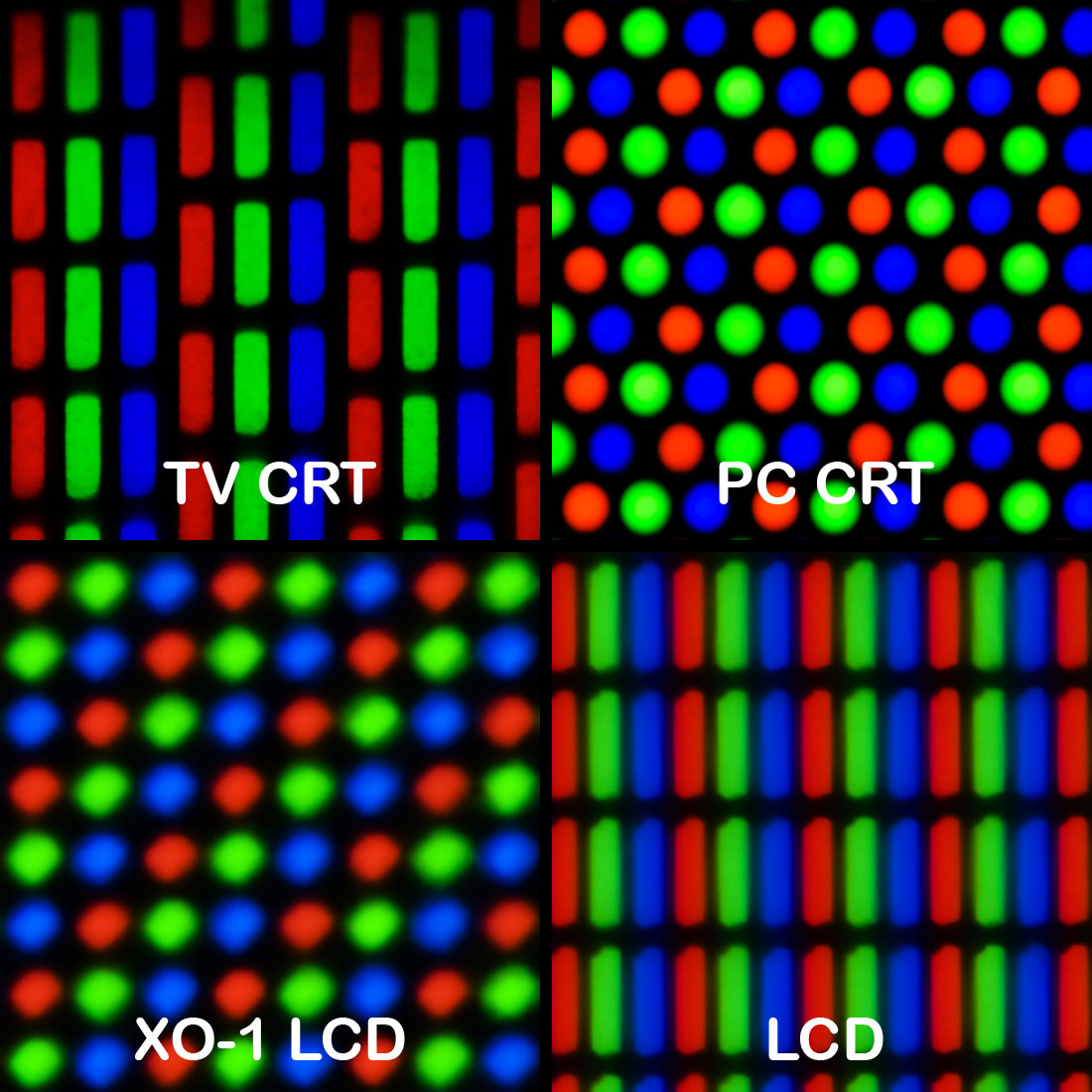
A pixel is a minute area of illumination on a display screen, one of many from which an image is composed. They are the smallest unit of information that makes up a picture, these are usually round or square and they are typically arranged in a 2 dimensional grid.

What is Image Resolution?

If you are using images in your design, then make sure you are using the right resolution. The resolution is measured in DPI, also known as pixels per inch. The DPI determines the amount of detail the image has. If you were to enlarge an image to be used on the web or for print, always scan it at the highest dpi you can.

What is the pixel colour intensity?

The intensity of each pixel is variable, in colour image systems a colour is typically represented by three or four component intensities such as red, green and blue, or cyan, magenta, yellow and black. If the pixel count for blue is high then the image will have a higher shade of blue.

What common ways are pixel colour intensity stored?

There are two ways in storing colour intensity in pixels, one way is through RGB, with this every pixel has to add up to RGB (Red, Green and Blue) no matter what image it is, they all have to be RGB. Another way in storing colour intensity for pixels is through CYMK which stands for Cyan, Yellow, Magenta and Key (Black).


Compression


What is Compression?

Compression means the reduction size of data or a file in order to save space or transmission time. For data transmission, compression can be performed on just data content. Compression is great for storing files, as it doesn’t take up so much file storage and it’s easy to upload files because of the smaller file size.

Why compression is useful for storing digital graphics

There are two categories of compression techniques used with digital graphics, these two methods are lossy & lossless. Both of these techniques have the same aim, these are used to make your file more compact and to create a smaller file size. Lossless and lossy are both great for storing digital graphics as you can store your images within a reasonable file size.

What is Lossy compression?

Lossy eliminates unnecessary bits of information, this tailors the file size so that it’s smaller. This type of compression lets you reduce the file size of bitmap images. With lossy compression you can’t get the original file back after it has been compressed.

What is Lossless compression?

Lossless compression reduces a file size with no loss of quality. This can be applied to several image and audio files. JPEGs and MP3s use lossy compression, while newer files use lossless compression. Lossless compression rewrites the data of an original file in an efficient way. However with no quality lost, the files are much larger than the actual image.


Types of digital graphics


What is a raster image?

A raster image or bitmap is a dot matrix structure which represents a rectangular grid of pixels, or points of colour. A bitmap corresponds bit for bit with an image displayed on a screen, generally in the same format used for storage in the display’s video memory.

BMP

The BMP file format, also known as bitmap image file or bitmap. This is a raster graphics image file format used to store bitmap digital images. The BMP file format is able to store 2D digital images of width, height and resolution. Indexed colour images may be compressed with a 4-bit or 8-bit RLE or Huffman 1D algorithm. Bitmap files may be easily created from existing pixel data stored in an array in memory. Pixel values may be modified individually or as large groups by altering a palette if present. However Bitmaps can be very large, particularly is the image contains a large number of colours. Data compression can shrink the size of pixel data but the data must be expanded.

Gif

Gif files are a format commonly used for graphics presented on websites. Gif’s can contain a maximum of 256 colours, and are therefore best for images that contain simple shapes, a limited colour palette. Gif stands for Graphics Interchange Formats. Gif files have the file extension, Gif files are compressed using lossless compression, meaning image quality is great and hasn’t sacrificed any detail for this. Gif files can also contain animation, creating files known as animated Gifs, these are common for websites but they aren’t as widely popular as they used to be. The disadvantages of Gif files are that it has a low colour palette, they have a lower level of transparency, they have patent restrictions and it has lossless compression.


Tiff

Tiff file stands for Tagged Image File Format. TIF files are a common file format for images, especially those used on graphic design. TIFF files can be saved without compression, or they can be compressed to lower file size, similar to JPG files. TIFF files are commonly used in print design and desktop publishing because they can store large, high quality images such as photos. Often, printers will prefer or require TIFF files over JPG images or other formats. TIFF is a popular format for storing raster image data.

JPG

JPG files which is also known as JPEG files, are a common file format for digital photos and other digital graphics. When JPG files are saved, they use lossy compression meaning that the image quality is lost as is file size. JPEG stands for Joint Photographic Experts Group. These are the most common file type for images taken with digital cameras, and widely used for photos. Unlike Gifs which show loss in photo quality, JPGs allow for some degree of file size reduction without losing too much quality. When you save photos and other images as JPG files for the web, email etc…


What is a Vector Image?

Vector graphics are created in Graphics packages such as Photoshop, it is possible to edit each object separately like changing the shape, colour, size etc… Even if an object in a vector graphic is quite large, it doesn’t need a lot of computer memory. Vector images are scalable, when you resize them then they don’t lose quality. The difference between Bitmaps and Vector images are that Bitmap is made up of pixels of different colours and vectors are made up of objects. You can edit individual pixels with Bitmaps and you can edit the individual objects of Vector images. When you resize Bitmaps they lose quality and when you resize a Vector it doesn’t lose quality.

PSD

A PSD file is a layered image file used in Photoshop, it is the default format that Photoshop uses to save its files. This file also allows you to save an image with separate layers even after the file has already been saved. When your image is complete on Photoshop, it allows the user to flatten their image and convert the image into either a JPG, GIF or TIFF. Once flattened the image can’t be converted back and the user can no longer work on the layers. PSD files use lossless compression, if it was lossy then the image would lose some of the quality. PSD files hold from 8 to 32-bits per pixel. PSD files can also save high resolution images whilst keeping all of its original components.

FLA (SWF)

A flash file is the format file for animated vector images on websites and other forms of web based media. Flash files use vector images so that when resized they don’t lose any quality. For interaction uses then a Flash file is great, mainly used for browser games and the quality of these games are very high since they use Vector graphics. They have many similarities to GIF files but these are very high quality files and are great for games. SWFs can also hold audio and video and can hold other forms of media interaction.

Ai (Adobe Illustrator Artwork)

Ai file format is a file extension used for vector graphics used in Adobe Illustrator. The Ai format is a limited, highly simplified form of EPS. The drawings are either shown in a PDF or EPS, since they are vector images they can hold high quality images. This means they use a lossless compression and are great for billboards and other forms of advertisement.


Wednesday, 5 February 2014

Image Capture, Optimisation and Storage

Image Capture, Optimisation and Storage

What is a scanner?
A scanner is a device that captures images from prints, magazines, posters and other sources for editing and display via a computer. Scanners can come in many forms, you have feed in scanners, flatbed scanners are used for scanning black and white only or colour. High resolution scanners are used for scanning high resolution printing. Lower resolution scanners are good for capturing images for a simple computer display. Scanners come usually with Adobe Photoshop product that will let you resize and modify a captured image.

How does it work?
Document scanners have a glass plate and a cover, there is also a lamp used to illuminate the document. The scanner moves a mirror, reflecting the light across the document. The light is picked up by a simple CCD camera chip and digitizes the data line by line, like a slow scan TV. Scanners have become an important part of the home office over the last few years. Scanner technology is everywhere and used in many ways: Flatbed scanners, also called desktop scanners are the most common scanners.

Key Features of a Scanner
The key features of a scanner is as followed; the type of feeder – Flatbed General purpose single page scanner, or automatic document feeder that is used for scanning manuals and books and works faster than normal flatbed scanners.

Software compatibility – One key feature of a scanner is the type of software it requires to operate and whether or not that it is compatible with your particular computer. It is important to identify if the specific drives needed to make the scanner work with your computer are included with the scanner itself. Without the specific drives the scanner will all be but useless.

Resolution – The colour depth of a scanner is important because it determines the quality of the scanned images, this is usually measured in DPI (dots per inch) the higher the dpi number a scanner holds the better the image will look when scanned.

Size of a scanned image – Flatbed scanners can handle up to legal size paper which is 8.5 x 14”. If someone needs to scan larger images, then they will need to upgrade to a large format flatbed scanner.

Strengths and Weaknesses
Strengths and weaknesses can also be advantages and disadvantages. The advantages of using scanners are that it can copy images onto computers, without a scanner it is difficult to accomplish this. They can also alter things you have copied this can be good and bad as when you scan in an image it may turn out the way you wanted it to but on some cases it may look completely different or not how you wanted it. Flatbed scanners are accurate and produce high quality images, any image which is digitised by a scanner can be then included on electronic document images and once digitised it can be altered with any graphics application. 

Disadvantages are that images can take up a lot of memory spaces, images can lose the quality which you mainly wanted when scanning the image in, and that a scan can completely depend on the quality of the original image. If the original image is bad quality then the scanned image isn’t going to look any different or it may look even worse.

What is a digital camera?
The simple definition of a digital camera is a special up to date camera that takes video or still photographs, it can also record videos or footage and can be hooked up to a computer/laptop, the photo or video can then be altered on your device.

How does a digital camera work?
The camera’s sensor is covered with tiny light sensitive cells, each of which can measure the amount of light that falls on it. The cells act like the old photosensitive film, reacting to the light which falls on them and then reporting to the camera’s microprocessor brain. The camera doesn’t just look at an individual pixel on the sensor; it also looks at the pixels around it to come up with an informed guess of what the true colour of that pixel is.

What different types of digital cameras are there and what are they used for?
There are many different types of digital cameras, they come in a wide range of sizes, prices and compatibilities. You can have your normal common home style digital camera or you can even have specialized cameras which include multispectral imaging equipment and cameras used in the military, scientific purposes, medical purposes and ones purposely used for digital photography.
Compact digital cameras are your usual common camera, they are used for portable uses like the casual snapshot. These come with optical zoom, the auto actuating lens cover protects the lens from outside elements. In 2011, some compact cameras can take still 3D images, these 3D compact stereo cameras can capture 3D panoramic photos for play back on a 3D TV.

Digital single-lens reflex cameras use a mirror to direct light from the lens through a separate optical viewfinder. These cameras have much larger sensors than any other type of digital cameras, this gives them superior performance, less depth of field at a given aperture and a larger size. This type of camera are used for professional still photographer.


Key features of digital cameras

Sensor Quality – A sensor is a solid state device which captures the light required to form a digital image. The process used in sensor quality creates millions of tiny pixels, in each pixel there will be light sensitive element which can sense how many photons have arrived at that particular location. More pixels can mean more detail, but the size of the sensor is crucial.

Megapixels – More megapixels tend to mean that your camera is better, the most important thing is cropping. If you crop the image slightly, it may look a lot better than if you left it alone. This is the main advantage of having a camera with more megapixels. It gives you a little extra room to mess around with when you are cropping your photos. When you print your images, you will need more megapixels. If your megapixel count isn’t enough for the size of image you print, your images won’t look sharp.

Zoom – Digital zoom is a method of decreasing the angle of view of a digital photo or video image. Every digital camera has a zoom, this is great as if you want to see an image closer then this helps dramatically, and some digital cameras rely heavily on digital zoom, lacking a real zoom lens, as on most camera phones.

Advantages & Disadvantages

Advantages – The photos are more versatile, you can easily upload them to your computer/laptop which gives you the ability to burn them onto a CD or DVD to archive them. Email them to friends and family. Upload them to internet sites such as Kodak.com and other websites to then create things such as calendars, photobooks, mugs, shirts, greeting cards etc… You can easily crop, zoom and edit photos, you can change colour photos to black and whites.

Disadvantages – The size of a digital image can be large and it won’t be long before your designated storage space fills up. It is vital to pay attention to the image while using a digital camera as they are sensitive to heat, extreme cold and moisture in comparison to the old film cameras. A digital camera is susceptible to extreme conditions that may cause malfunction. Battery consumption is much faster in case of digital cameras. This makes it necessary to keep a few spare batteries just in case.

What is a Graphics Tablet?
A graphics tablet is an input device used by artists to allow them to draw a picture onto a computer screen without having to use a mouse or keyboard. It consists of a flat, touch-sensitive pad and some sort of drawing stylus. The tablet is most suited for artists and those who want the natural feel of a pen-like object to manipulate the cursor on their screen.

How does a Graphics Tablet work?

Graphics tablets are input devices not unlike a keyboard or a mouse. Instead of translating typing or clicking, the tablet becomes a digital page or canvas upon which one can draw, as if drawing on paper with a pencil. The tablets capture the image as data which can be stored as a file or document. Graphics tablets can be used like a large marker board to take notes on or create outlines during a conference or lecture event where the images are viewed by the audience or they can be used by individuals as drawing surfaces.


Advantages, Disadvantages & Key Features
Advantages
  • A benefit for graphics artists
  • More effective than mouse input
  • Can come in different sizes
  • Natural to use for anyone familiar with a pen
·         Can record levels of pressure unlike other point and click devices

Disadvantages
  • Slower then paper drawing
  • Can be awkward to access menus and make selections
  • Larger designs (A4 for example) are expensive

What is digital graphics optimisation and the different ways it can be optimised?

Optimisation is making the best or most effective use of something and in Digital Graphics it is no different, as there are many ways in optimising your digital graphics.

Target Image Output - The image output is important, if you want to present a presentation, you don't need high quality pictures but you do need a good quality.

Image Bit Depth - Image bit depth is the number of bits used to represent the colour of a single pixel in a raster file image. There is a 1 bit monochrome, 8 bit gray scale, 8 bit colour, 16 bit colour (high colour), 24 bit (true colour) and 48 bit colour (deep colour).

Compression - There are two types of compression these are; lossy and loss less.
Lossy images remove some data and lose some quality of the image, some of the images information may be lost permanently with this method of compression.
Loss less compression will change the way in which the file is stored to reduce file size. Loss less compression also makes no visible alterations to the image. 
These optimisations improve its usage by reducing file size so it's easier to store your files, it can make your image clearer and makes no alterations at all to the original image.

What is Asset Management Software?
Software asset management is a business practice that involves managing and optimizing the purchase of software application within a company. Its uses in financial aspects are as followed;
Know driving returns on investments, Cash shortfalls, deferred payments, leverage costs etc... Calculate different leverage options and Analysing the effects on these returns.

Benefits to artists

Digital Asset Management consists of management tasks and decisions surrounding ingestion, annotation, cataloguing, storage, retrieval and distribution of digital assets, Digital Photographs, animations, videos and music. This asset management is great for digital artists as they can keep track of their assets and know that nothing will happen to their assets while under the protection of the (DAM).    


Wednesday, 23 October 2013

Computer Game Graphic Types


Computer Game Graphic Types


2D Sprites

2D sprites are basically images which you can manipulate, when your image or character has been turned into a sprite you can then animate it, change the colours, edit in Photoshop. You can use a sprite in programs like Game Maker where you can animate your sprites to move around and do different things during your level. 2D sprites will be mainly used in 2D games as they aren’t 3D models, 2D sprites are easier to manipulate and can be animated easily, they can also be used for GIF’s.  

3D Isometric Sprites


3D isometric sprites are just like the 2D sprites but you can use these in your 3D games, you can do everything that you did with the 2D sprite to the isometric sprite. But with the 3D option you can do more as it’s not just a flat surface, you can add textures and different tones to the sprite to give your sprite an edge. 3D sprites are also useable in game engines such as UDK, this type of program really brings your 3D sprites into life as you can control them and give them objects like guns and health packs. 3D sprites are more optional for your up to date 3D games but you can only use isometric sprites in 3D games or else they won’t work.


Concept Art (Character, Weapon, Environment)

Character concept art is where the concept artist draws the character in pretty good detail, the company their working for will give them an idea of what they want the characters to look like then they will draw the character and then give the designs to the 3D modeller to then progress on the design. It is the same with the weapons and the environment etc… Of course it’s different with the weapons and environment because each one will have its own part. The concept art is generally used for the designs of the game, if it’s a character or a weapon then it will go onto a 3D modeller to then make the actual objects.
 

Textures (Diffuse, Height maps etc…)

Textures are what are wrapped around characters, weapons etc… to give the object more depth, colours and tones. Texture mapping is when a texture map is applied to the surface of an object or polygon, each vertex in the polygon is assigned a texture coordinate which allows the object to be rendered. There are different types of textures they can range from normal, specular and diffuse. Textures are used for giving the object more depth and a quality finish, but can also be used for colour.  
 
 
In Game Interface

The in game interface can be from the start menu, to the in game mission briefing in some cases. The in game interface can be a mini map in the bottom corner of the screen, it is mainly the feedback that you receive on the screen. The HUD can’t be distracting to the player as it will drive them away from the main objective and could probably get you killed, so the graphics can’t be too bright but you have to be able to see it. Sci-fi games have a good basis for the in game interface and HUD as they are mainly light blues or see through style lettering and numbers.


  Printed Media (Box Art, Manual, Poster etc…)

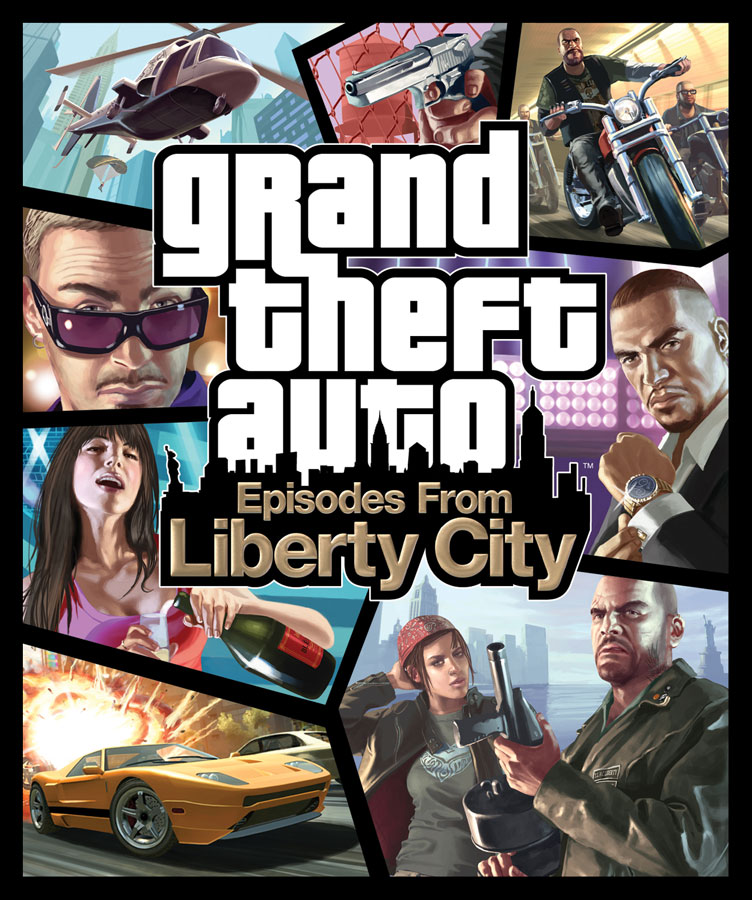
Box art is key when selling and promoting your game, when you walk in the shop you have to be able to see the game and hope it catches your eye, this is what companies are looking at when they are promoting their games. In promotion, companies also try to sell special merchandise with their games, there are examples of special edition copies which are sold with special items like posters or actual in game items.


Tuesday, 22 October 2013

Graphical Styles

Graphical Styles

Photo-Realistic


We all want our games to look as realistic as it possibly can, and now with the technology available today compared to 30 years ago we can finally make our games as beautiful as ever. With games like Crysis 3 and Grand theft auto 5 out now, the games industry has never been better and more successful. 
Photo-realistic graphics you could say was introduced 5 or 6 years ago with the first Crysis game in the series, and from then more games have inspired to be like the Crysis series as the brilliant graphics and realistic features make the game a pleasure to play. Far cry 3 is another photo-realistic game, with its bright colours and lively textures, you feel like you’re in the game itself. Never has games been so good, compared to the old days of Pong where it consisted of no graphics at all, we can now buy a game and know that it’ll be worth it. The idea of photo realism is to get the player to think that it’s as photo realistic as possible, and that it is like an imaginary world but with realistic features.

 Abstraction

The idea of an abstract game is to be as unique as possible, games like Fez and Super Meat Boy emphasise the abstract graphic style. With its weird and wacky graphics, abstract is definitely now the style of today.


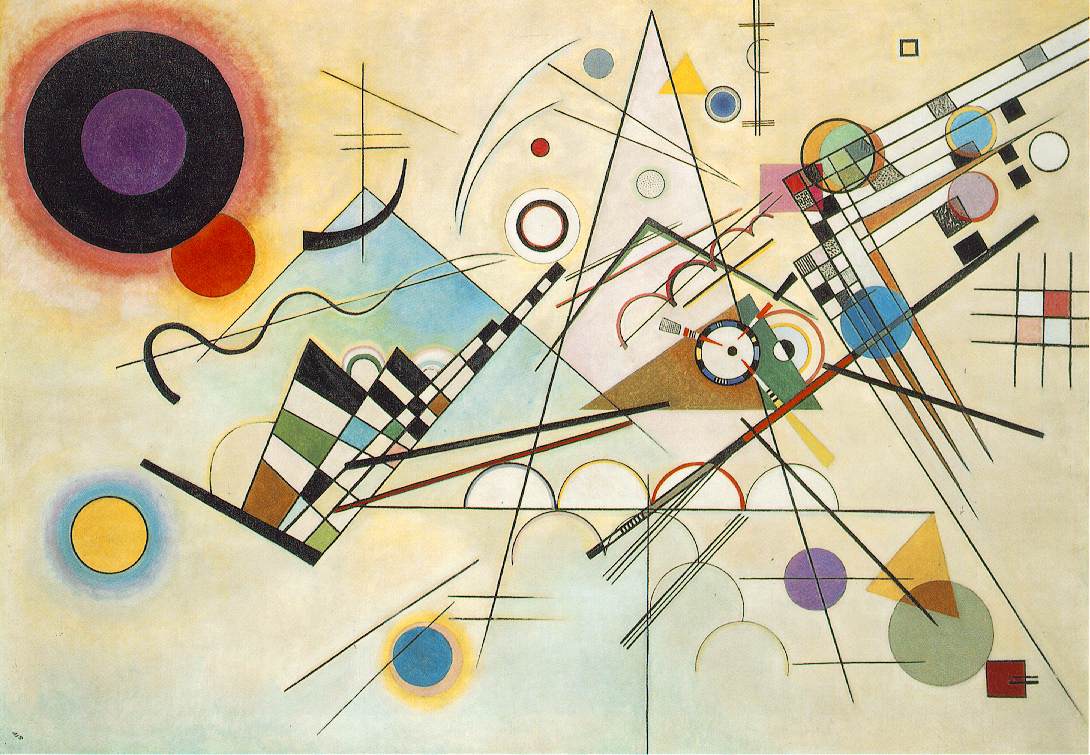
Mostly created by indie developers today, abstract games first came into light with the creation of Fez. With the unique style and comedic characters, Fez was a huge success as it captured the essence of the abstract graphics and unique game play. Abstraction is mainly used in Art but is now coming into the games industry and is carrying a lot of baggage. artists such as Kandinsky and Delaunay experimented with their colours and were made famous for it here are some examples of their art;


(Robert Delaunay)


(Kandinsky)


Abstraction is one of the uprising visuals in the games industry and don't be surprised to see it in more games in the future.

Cel-Shading
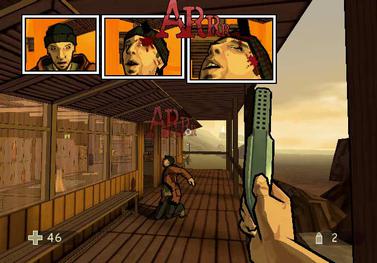
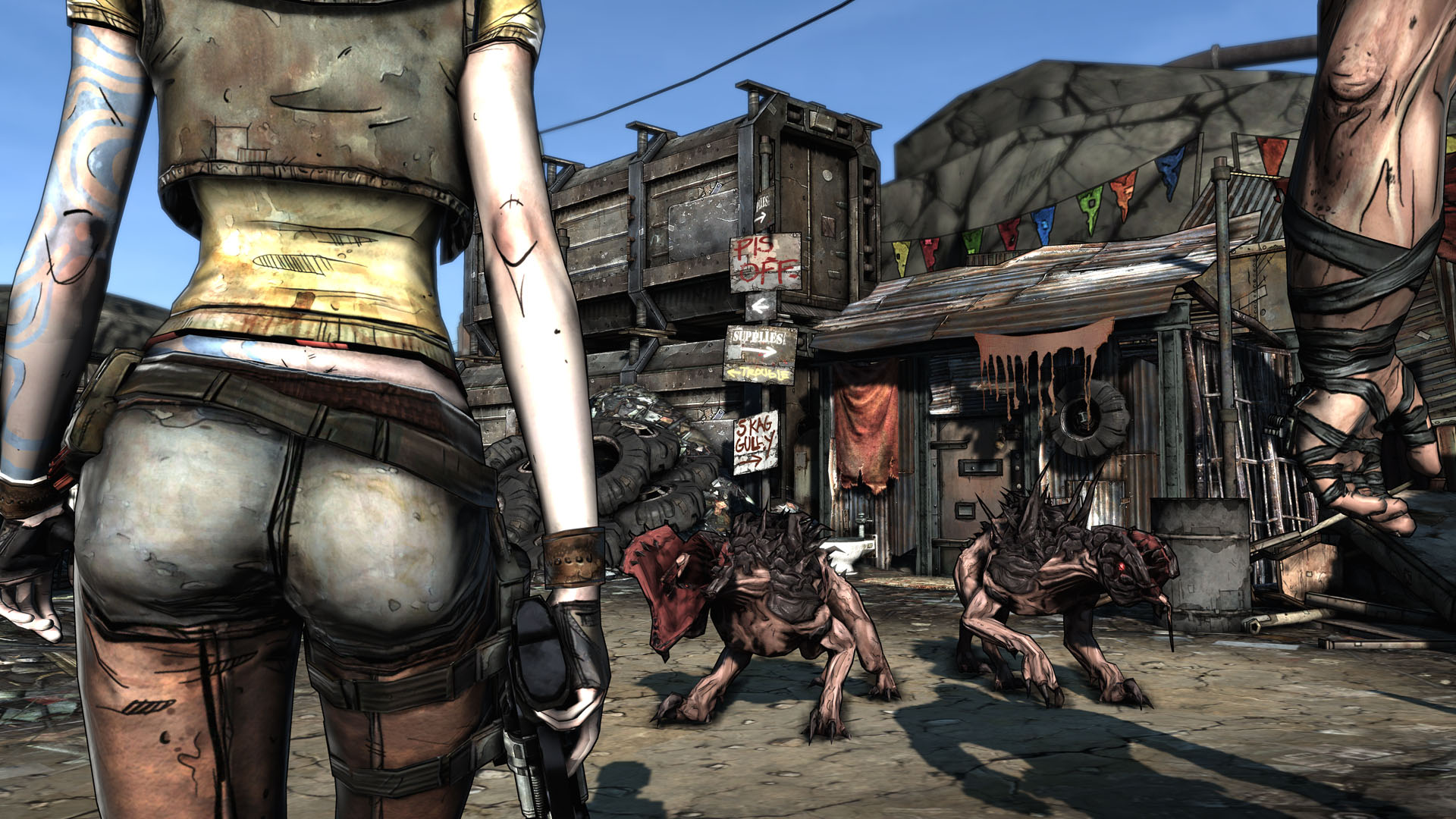
Cel-shaded is a very unique style of visual dynamics, as most games don't use this, but with Borderlands being one of the most exciting and vibrant games out there at the moment it's no surprise many people are liking what they see. Cel-shaded is what you would say to be a cartoon style of visuals, it is a type of non photorealistic shading that gives the visuals a more hand drawn look. The Cel-shading process starts with a 3d model, smooth lighting values are then calculated for each of the pixels and then are mapped to small shades to create the flat look. Black ink outlines are used to make the images look more bold and embossed, a good example of this would be the Utah teapot which has been rendered using Cel-shading.


There have been several games that have used this style of visuals the most notable ones would be the Borderlands series and XIII which was a Play station 2 and Xbox game back in 2003. These would be probably the most famous Cel-shaded games and have done really well due to this unique style.


XIII game


Borderlands


This graphical style is a great way to promote a new and exciting game, and since not many games have this quality visual, more can look up to these styles of games and take note.


Exaggeration

Exaggerated visuals is very popular nowadays as more and more games are putting this style into their games. Even though the more popular games are photo-realistic, exaggerated game styles are still popular and still have a place in the games industry. It is difficult to really describe the exaggerated style as you can say that most games use this, games that use this style would be games like Saints Row 4 with its superhero and alien qualities, another example would be Batman Arkham city with the colours and the characters. You could say that exaggerated styles would be anything that isn't realistic and with eccentric amounts of colours, and with a game that when you instantly touch something.... it blows up. 


A great example of exaggerated visuals would be in the game Half Life, with the weird head crabs and disgusting looking creatures, this game really does define the exaggerated style. The style does suit certain types of games, you could say that most games do have a exaggerated feel to them but only certain games do exercise this style.


To conclude, from the early days of Pong to the new GTA V, visual styles have come leaps and bounds. With the unique abstraction which was based off modern art, and the Cel-shading which is based on cartoons... each game has its own unique style and with 2014 coming up, I can't wait to see what the new styles will be.